Drupal AI Code: Launch Drupal CMS with Claude and Gemini in a Cloud Dev Environment
AI coding tools are quickly becoming part of the modern developer workflow. For Drupal developers, the opportunity is especially interesting.
Drupal projects often involve structured configuration, Composer workflows, Drush commands, custom modules, YAML files, services, routing, Twig templates, and a lot of repeated patterns. AI coding assistants can help with that work — but only when they have access to the actual project environment.
That is what makes the Drupal AI Code template on DrupalForge worth trying.
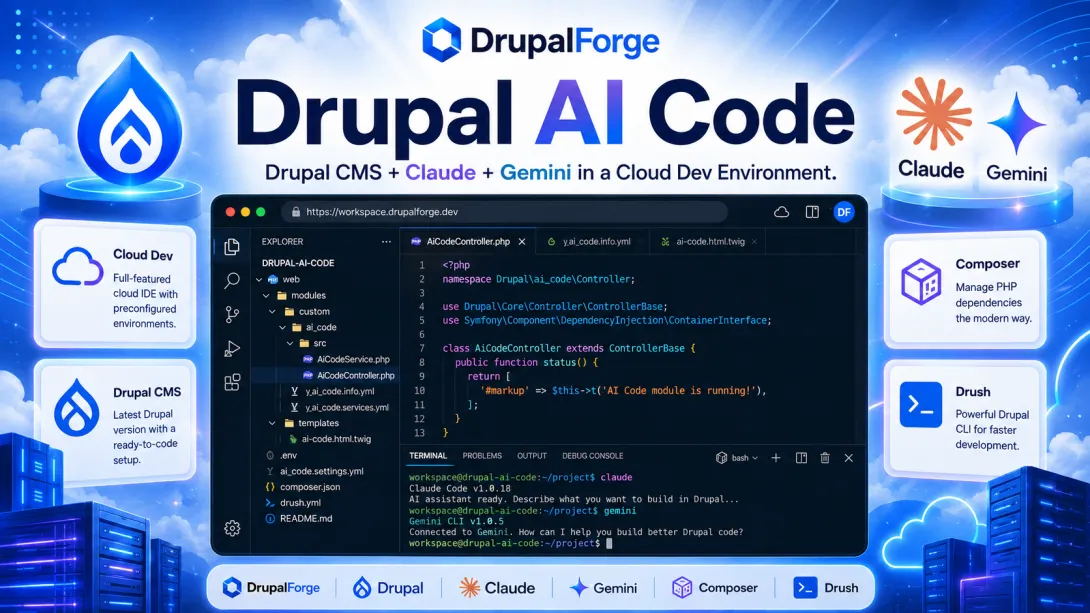
The template gives you a Drupal CMS environment with a browser-based VS Code server and support for AI coding tools such as Claude and Gemini. Instead of setting up everything manually, you can launch a ready-to-use Drupal environment, open the cloud development workspace, and start experimenting with AI-assisted Drupal development.
What is the Drupal AI Code template?
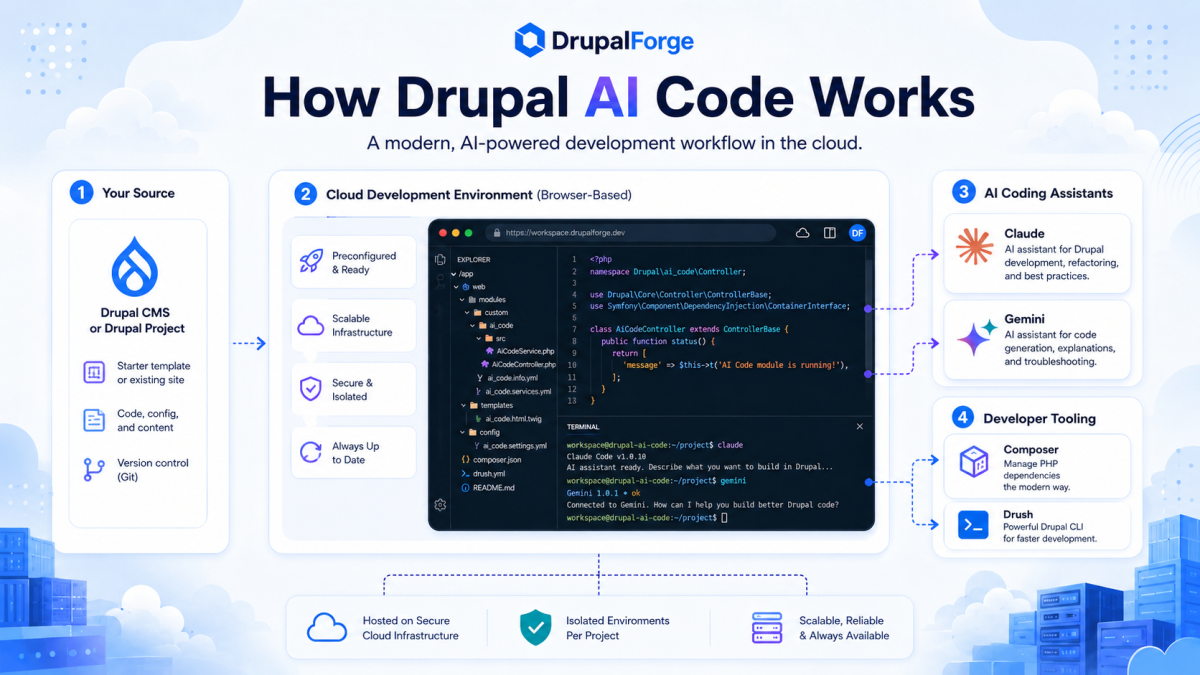
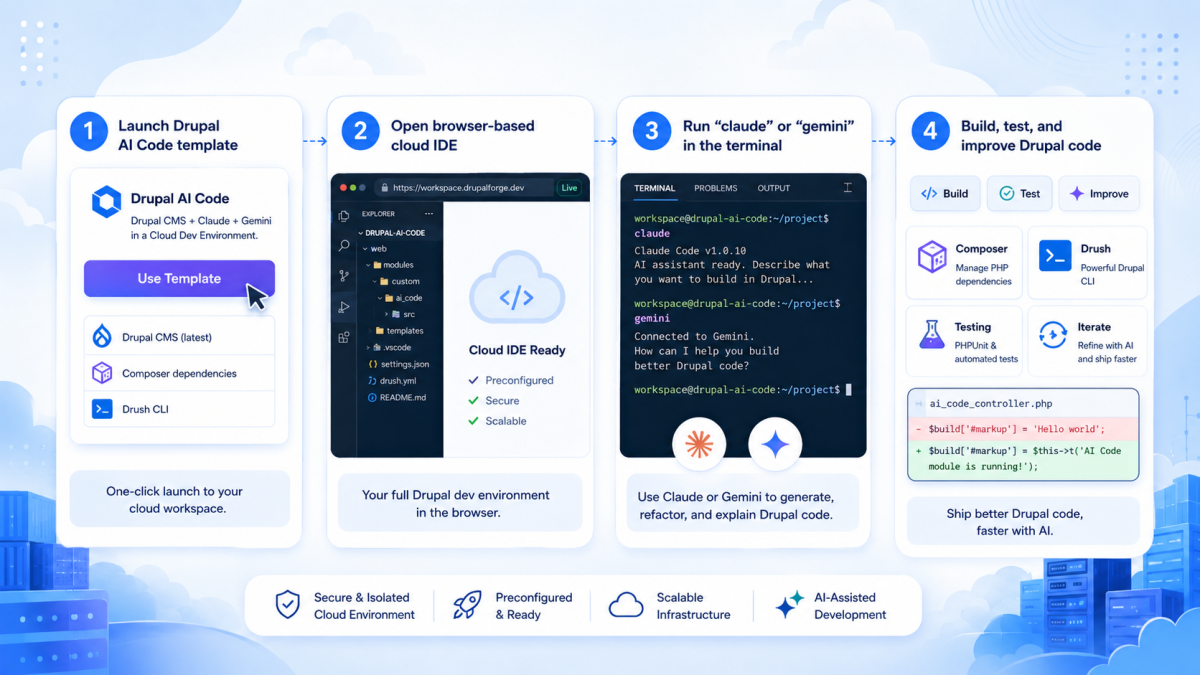
Drupal AI Code is a DrupalForge template designed for Drupal CMS development with Claude and Gemini. The template page describes it simply: “Drupal CMS + Claude + Gemini.” After launching the template, users can access the VS Code server, open the terminal, and run either claude or gemini depending on which assistant they want to use.
That makes this template less about adding an AI chatbot to a Drupal website and more about giving developers an AI-assisted coding environment for Drupal itself. This is an important distinction. There are two different AI conversations happening in Drupal right now:
AI features inside Drupal sites
AI tools that help developers build Drupal sites
The Drupal AI Code template is focused on the second one.
Why this matters
AI coding tools are no longer just browser-based chat windows. Modern coding agents can run inside a project, inspect files, understand structure, suggest changes, and help with multi-file development tasks.
A Drupal project is not just PHP files. It includes configuration, dependencies, themes, modules, services, routes, permissions, templates, and deployment workflows. A coding assistant becomes much more useful when it can operate inside that environment rather than guessing from the outside.
With Drupal AI Code on DrupalForge, the developer does not have to begin by setting up a local machine, installing a development stack, configuring VS Code, and wiring in AI tools from scratch. They can launch the template and begin testing the workflow.
What the video demonstrates
The accompanying video walkthrough, "Mastering Drupal AI: Drupal CMS + AI + Claude Code on Drupal Forge!", provides a step-by-step visual guide on moving from a standard setup to an AI-powered cloud workspace.
The Developer Experience Shift
For developers, that changes the experience from:
“Ask an AI a question about Drupal”
To: “Work with an AI assistant inside a Drupal project.”
Setting Up Your AI Assistants
The DrupalForge template provides a streamlined path for the two most popular models currently used in the community.
Using Claude with the template
Launch the template.
Access the VS Code server.
Open the terminal and run
claude.Select the authentication method and follow the steps to get the API key.
Paste the key into the confirmation prompt and begin using AI assistance.
Using Gemini with the template
Create a Google Cloud project and enable the Gemini for Google Cloud API.
Launch the template and access the VS Code server.
Open the terminal and run
gemini.If using an API Key, create a
.envfile and addGEMINI_API_KEY=your_key.
Practical Use Cases for Drupal Developers
AI coding tools should not be treated as magic; they should be tested and calibrated against real Drupal work. They excel at:
Scaffolding: Module scaffolding, routing files, and service definitions.
Boilerplate: Reviewing YAML configuration and generating starter tests.
Troubleshooting: Explaining Composer or Drush errors and suggesting refactors.
Onboarding: Helping developers learn an unfamiliar codebase or custom module faster.
A Better Way to Learn Drupal Development
This template is also a powerful educational tool. A new Drupal developer can launch the environment and ask an AI assistant to explain the structure of the codebase or walk through a route/controller/form workflow.
This is a far more effective learning experience than reading documentation in one tab and trying to reproduce it locally in another. It lowers the barrier to entry, which is vital for expanding the Drupal contributor pipeline.
Why DrupalForge is the Ideal Platform
DrupalForge is built around launching preconfigured environments. It doesn't just show a description of a concept; it provides a live environment where developers can try the workflow.
AI development tools are best evaluated by doing real work. You cannot judge that properly from screenshots alone; you need a running environment where you can ask the assistant to generate a small feature or inspect an error in real-time.
Use it Carefully
AI coding tools should be used with discipline. Developers must review generated code, run tests, and avoid blindly accepting changes—especially regarding permissions and update hooks.
The best approach is to build trust gradually. Ask the tool to solve tasks where you already know the answer, then compare the result against your own judgment before handing it more complex tasks.
Who Should Try This Template?
Individual Developers exploring AI coding tools.
Agencies evaluating Claude or Gemini for team-wide Drupal work.
Trainers teaching modern Drupal development workflows.
Technical Leads looking for a consistent, cloud-based workspace without local setup hurdles.
The Bigger Picture
The future of Drupal AI is about improving how Drupal itself is built. A generic AI chat window is useful, but an AI assistant inside a real Drupal development environment is a game-changer.
Drupal AI Code provides a practical path forward: launch Drupal, open the cloud environment, and begin working with AI inside the project. It’s about empowering developers to build, learn, and contribute faster.