Drupal Canvas & AI Page Building: Visual Speed, Enterprise Control
For years, Drupal has been known as one of the most powerful content management systems in the world. It can handle complex content models, multilingual publishing, permissions, workflows, integrations, governance, accessibility, and enterprise-scale requirements.
But power has often come with a cost: Drupal has not always felt easy for marketers, content editors, and site builders who simply want to create a beautiful page without waiting for a developer.
That is changing.
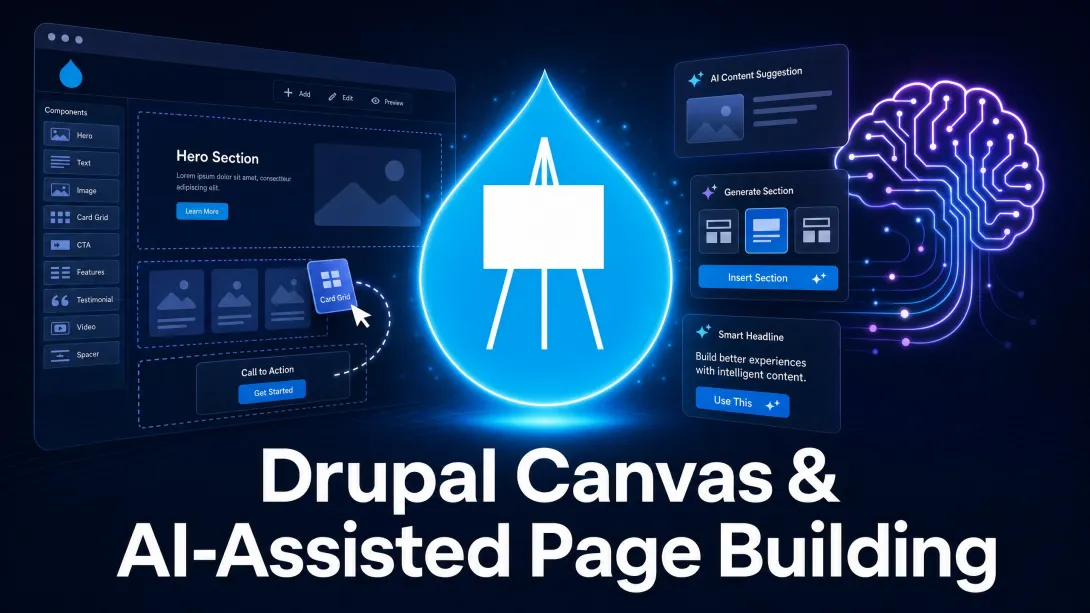
Drupal Canvas and AI-assisted page building represent one of the most important shifts in Drupal’s modern history. Together, they point toward a new future where teams can visually build pages, work with reusable components, generate first drafts with AI, and still keep the structure, governance, and flexibility that make Drupal different from simpler website builders.
This is not just a new editing feature. It is a new way to experience Drupal.
What Is Drupal Canvas?
Drupal Canvas is Drupal’s new visual page-building experience. It allows site builders and content creators to build pages directly in the browser using drag-and-drop components, live preview, and real-time editing.
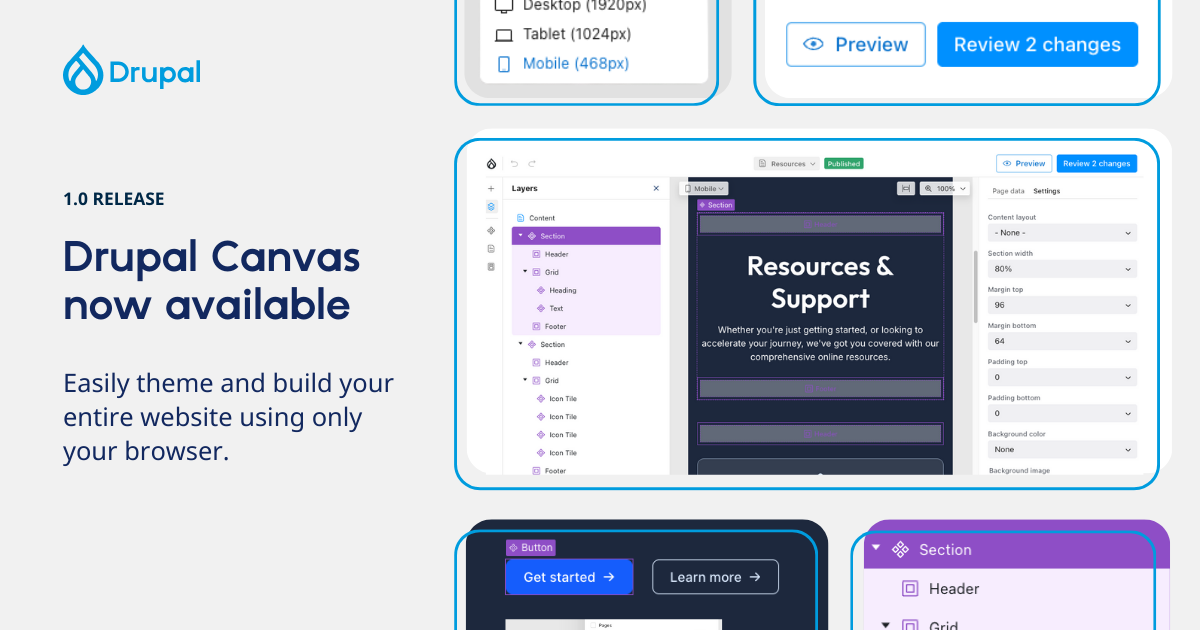
Instead of moving back and forth between admin forms and preview screens, users can work closer to the final page. They can place components, edit content in context, review how the page looks, and shape the experience visually.
That may sound similar to other page builders, but Drupal Canvas is different because it sits on top of Drupal’s deeper strengths.
Drupal is not just a page design tool. It is a structured content platform. It supports custom content types, reusable fields, granular permissions, multilingual workflows, content moderation, taxonomy, media management, APIs, and large-scale governance.
That means Drupal Canvas is not simply about making pages look good. It is about making page building easier while preserving the structure and control serious organizations need.
Why Drupal Needed Canvas
Drupal has always been strong for developers and technical teams. It has also been strong for organizations with complex digital requirements. But for non-technical users, creating landing pages, campaign pages, event pages, and marketing pages has often required too much developer involvement.
A marketer might need a new campaign page. A university department might need a landing page for a new program. A nonprofit might need a donation campaign page. An agency might need to prototype a client homepage. A communications team might need to publish a polished page quickly.
In traditional Drupal workflows, these requests often turn into tickets:
Can you build a new layout?
Can you add this hero section?
Can you create a card grid?
Can you move this block?
Can you make this page look more like the design?
Can you create a new content type?
Can you adjust the spacing?
Developers are still essential. But not every page update should require developer time.
Drupal Canvas helps solve that problem by giving site builders and editors a more visual way to assemble pages from reusable components. It gives content teams more independence while allowing developers and designers to define the system behind the scenes.
Why AI-Assisted Page Building Matters
AI-assisted page building adds another layer to this transformation.
Instead of starting with a blank page, a user can describe what they need and let AI help create a first version. That may include layout suggestions, section structure, headlines, body copy, calls to action, image placement, metadata, and other page elements.

This does not mean AI replaces the editor, designer, or developer.
It means AI helps the team get to the first draft faster.
That distinction matters. A blank page is slow. A rough page is something the team can improve. AI-assisted page building gives editors and site builders a starting point, then Drupal Canvas gives them a visual environment where they can refine the result.
For many teams, this changes the workflow from:
Brief → ticket → developer → review → revision → review → publish
To a much more optimized dynamic:
Prompt → draft page → edit visually → review → publish
That is a major reduction in friction.
The New Page-Building Workflow
With Drupal Canvas and AI-assisted page building, a modern Drupal workflow can look like this:
A marketer describes the page they need.
AI generates a first draft using available components.
Drupal Canvas presents the page visually.
The editor adjusts the layout, text, calls to action, and images.
The team reviews the page through Drupal’s workflow and permissions.
The page is published with Drupal’s structure and governance still intact.
This is powerful because it brings speed and control together.
Fast page builders often sacrifice structure. Enterprise CMS platforms often sacrifice speed. Drupal Canvas and AI-assisted page building aim to bring both sides together: visual editing for speed, Drupal architecture for control.
Why Components Are the Secret Weapon
The most important part of this new model is not the drag-and-drop interface. It is the component system underneath.
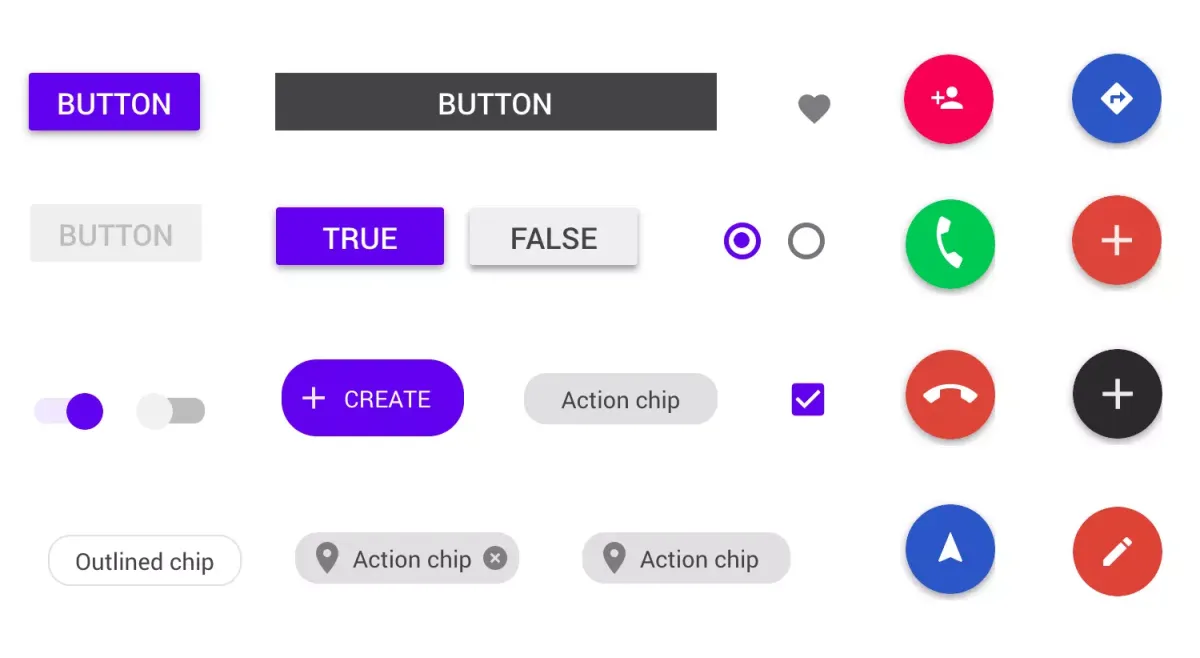
Components give teams reusable building blocks: hero sections, card grids, testimonials, menus, accordions, pricing sections, calls to action, feature blocks, event sections, newsletter signup areas, and more.
When components are designed well, content teams can build pages quickly without breaking the brand.
This is where Drupal has a strategic advantage.
A simple page builder might give users unlimited freedom. That sounds good until every page starts looking different, brand consistency breaks down, accessibility issues appear, and the website becomes difficult to maintain.
A component-based system gives users freedom inside guardrails.
Designers and developers define the components. Editors and marketers use those components to build pages. The result is faster publishing without chaos.
AI Works Best When It Understands the Design System
AI page generation becomes much more useful when it works with real components instead of inventing random layouts.
If AI understands the available component system, it can create pages that match the site’s actual design language. It can choose a hero component, a feature grid, a testimonial section, a call-to-action block, or an FAQ component based on what the user asks for.
That is far more valuable than generating generic HTML or disconnected content.
The future of AI-assisted page building is not “make me a random web page.”
The future is “use my organization’s approved components, brand voice, content model, and governance rules to create a useful draft that my team can review.”
That is exactly the kind of future Drupal is well-positioned to support.
Why This Is Different From Webflow or WordPress Page Builders
Tools like Webflow and WordPress page builders have trained users to expect visual editing. That expectation is not going away.
Marketers want to build pages visually. Clients want to see live previews. Site builders want faster workflows. Agencies want to prototype quickly. Content teams want fewer tickets.
Drupal cannot ignore that reality.
But Drupal does not need to become a lightweight website builder to compete. Drupal’s advantage is that it can bring visual editing into a serious content platform.
That means teams can get a more approachable editing experience without giving up the things that matter for larger organizations:
Structured content
Custom content types
Editorial permissions
Content moderation
Multilingual publishing
Reusable components
Accessibility controls
API-driven content
Enterprise security
Open-source ownership
This is the real story of Drupal Canvas. It is not Drupal copying simpler page builders. It is Drupal bringing visual page building into a stronger CMS foundation.
AI Should Assist, Not Take Over
AI-assisted page building should not mean handing over the website to an algorithm.
Good websites still need strategy. They need accurate content, clear messaging, accessibility review, brand judgment, user research, SEO thinking, conversion goals, and editorial governance.
AI can help create the first version. It can suggest sections. It can draft copy. It can recommend structure. It can help with metadata. It can help editors get unstuck.
But people still need to review, refine, and approve.
The strongest AI workflows are human-in-the-loop workflows. AI helps create momentum. Humans make the final decisions.
That is especially important for organizations that cannot afford careless publishing: universities, nonprofits, government agencies, healthcare organizations, associations, enterprise teams, and mission-driven organizations.
How Drupal Canvas Helps Agencies
For agencies, Drupal Canvas creates a stronger way to sell, prototype, and deliver Drupal projects.
Instead of presenting static mockups and long explanations, agencies can show working pages. They can build landing page concepts faster. They can start from templates. They can demonstrate how a marketing team would edit the site after launch.
This helps agencies move the conversation from abstract to tangible.
A client does not have to imagine the final experience. They can click through it. They can see how the content changes. They can understand how components work. They can experience the difference between a static design and a living CMS.
That is a much stronger sales motion.
Drupal Canvas also helps after the sale. Agencies can build reusable component libraries, train client teams faster, and reduce the volume of small layout-change tickets that drain developer time.
How Drupal Canvas Helps Content Teams
For content teams, Drupal Canvas reduces dependency on developers for everyday page building.
A communications team can create campaign pages. A university department can build program pages. A nonprofit can update donation pages. A SaaS team can test landing page messaging. An event team can assemble conference pages.
AI assistance makes the process even faster by helping users move from idea to first draft.
That does not remove governance. Drupal can still enforce permissions, workflows, review steps, and publishing rules. The content team gains speed, but the organization keeps control.
This is exactly what serious CMS users need: more independence without more risk.
How Drupal Canvas Helps Developers
At first, some developers may worry that visual page building reduces their role. In reality, it changes the role.
Developers become more important in defining the system. They build the components, configure the content model, set up integrations, manage performance, secure the platform, and create the guardrails that allow non-technical users to move faster.
This is a better use of developer time.
Developers should not spend their days manually adjusting routine landing page layouts. They should build systems that allow organizations to move faster safely.
Drupal Canvas helps shift developers from page assembly to platform architecture.
Why DrupalForge Is the Best Place to Try Drupal Canvas
The biggest barrier to trying new Drupal capabilities is often setup.
A marketer may want to try Drupal Canvas. A site builder may want to test AI-assisted page generation. An agency may want to show a client a Canvas-based prototype. But if the first step is installing local tools, configuring Composer, setting up a database, and debugging an environment, momentum is lost.
DrupalForge removes that barrier.
DrupalForge makes it possible to launch Drupal environments in the cloud without local setup. Users can work from the browser, explore templates, open a cloud development environment, use tools like VS Code, Composer, Drush, and phpMyAdmin, and share working demos with others.
That is exactly what Drupal Canvas and AI-assisted page building need.
These tools are best understood by experiencing them. You should not have to read a long technical document before seeing the value. You should be able to launch a demo, build a page, test the workflow, and share it with a team.
DrupalForge makes that possible.
From Template to Page to Live Demo
Drupal Canvas becomes even more powerful when paired with templates.
Instead of starting from a blank site, a team can begin with a template designed for a specific use case. That template can include page structures, components, content types, media patterns, calls to action, and brand-ready layouts.
Then Canvas lets the team visually adapt the site.
AI can help generate new page drafts.
DrupalForge can host the working environment in the cloud so the team can review and share it.
This creates a much better adoption path:
Launch a DrupalForge template.
Open the Canvas editing experience.
Use AI to draft or improve page content.
Adjust the page visually with reusable components.
Share the live demo with stakeholders.
Refine the site into a real project.
This workflow is fast, visual, collaborative, and grounded in Drupal’s long-term strengths.
Why This Matters for Drupal Adoption
Drupal’s challenge has never been capability. Drupal can already do more than most CMS platforms.
The challenge has been first experience.
If a new user’s first experience is technical setup, configuration files, and command-line errors, they may never reach the part where Drupal shines.
Drupal Canvas and AI-assisted page building change that first experience.
They allow users to see value faster. They make Drupal feel more immediate. They give marketers and site builders something they can touch, edit, and understand. They make Drupal easier to demonstrate and easier to sell.
When combined with DrupalForge, the experience becomes even stronger because users can try the workflow in the cloud without local setup.
That is how Drupal becomes more approachable without becoming less powerful.
The Future Is Visual, AI-Assisted, and Governed
The future of page building is visual. Users expect to see what they are building.
The future is also AI-assisted. Teams will expect help drafting, structuring, summarizing, optimizing, and refining content.
But the future also needs governance. Organizations still need control over brand, accessibility, permissions, workflows, data, and compliance.
Drupal Canvas sits at the intersection of these needs.
It gives teams visual page building.
AI-assisted workflows help teams move faster.
Drupal provides the structure and governance behind the experience.
DrupalForge makes the whole thing easier to try, share, and turn into a real project.
Conclusion: Drupal Page Building Has Entered a New Era
Drupal Canvas and AI-assisted page building mark a major step forward for Drupal.
They make Drupal easier for marketers, content editors, agencies, and site builders. They help teams move from idea to working page faster. They reduce dependence on developers for routine page assembly while giving developers a stronger role in building reusable systems.
Most importantly, they make Drupal feel more modern without giving up what makes Drupal valuable.
Drupal can now offer visual editing, AI assistance, structured content, reusable components, permissions, workflows, and open-source control in one platform.
That combination is powerful.
And with DrupalForge, teams can experience it faster.
Try DrupalForge today and explore how Drupal Canvas and AI-assisted page building can help your team build better Drupal pages in the cloud.