How Browser-Based VS Code Works With Drupal
Drupal development has always required a serious toolset.
Developers need a code editor. They need Composer. They need Drush. They need database access. They need a web server, PHP, a file system, Git, configuration management, and a way to preview changes.
Traditionally, all of this lived on a developer’s laptop.
That meant local setup. Docker setup. PHP setup. Database setup. Composer setup. Drush setup. Editor setup. Permissions issues. Port conflicts. Version mismatches. Missing extensions. Slow onboarding. And the familiar problem every team has seen before: “It works on my machine.”
DrupalForge changes that workflow.
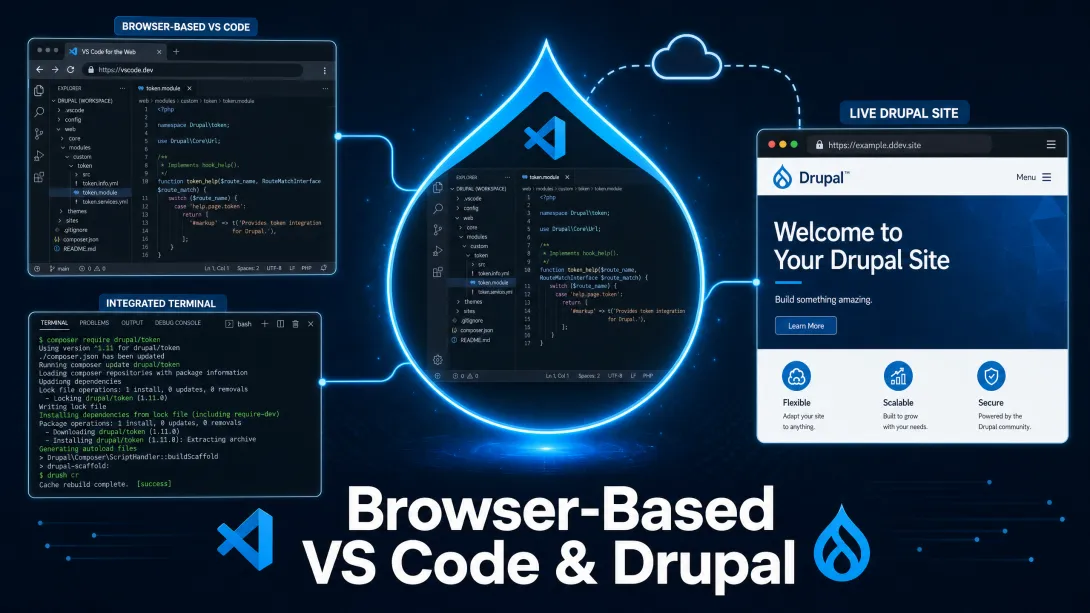
With DrupalForge, you can launch a Drupal site in the cloud and open a browser-based VS Code environment connected to that site. Instead of turning your laptop into the development server, DrupalForge gives you a cloud development environment where the code, terminal, database, and live Drupal site are already connected.
The result is simple: you open your browser and start working on Drupal.
What Is Browser-Based VS Code?
Browser-based VS Code gives developers a familiar code editor experience directly inside the web browser.
Instead of installing a desktop editor and connecting it to a local project folder, you open an editor in your browser. It looks and feels like VS Code, but the project files live in the cloud environment connected to your Drupal site.
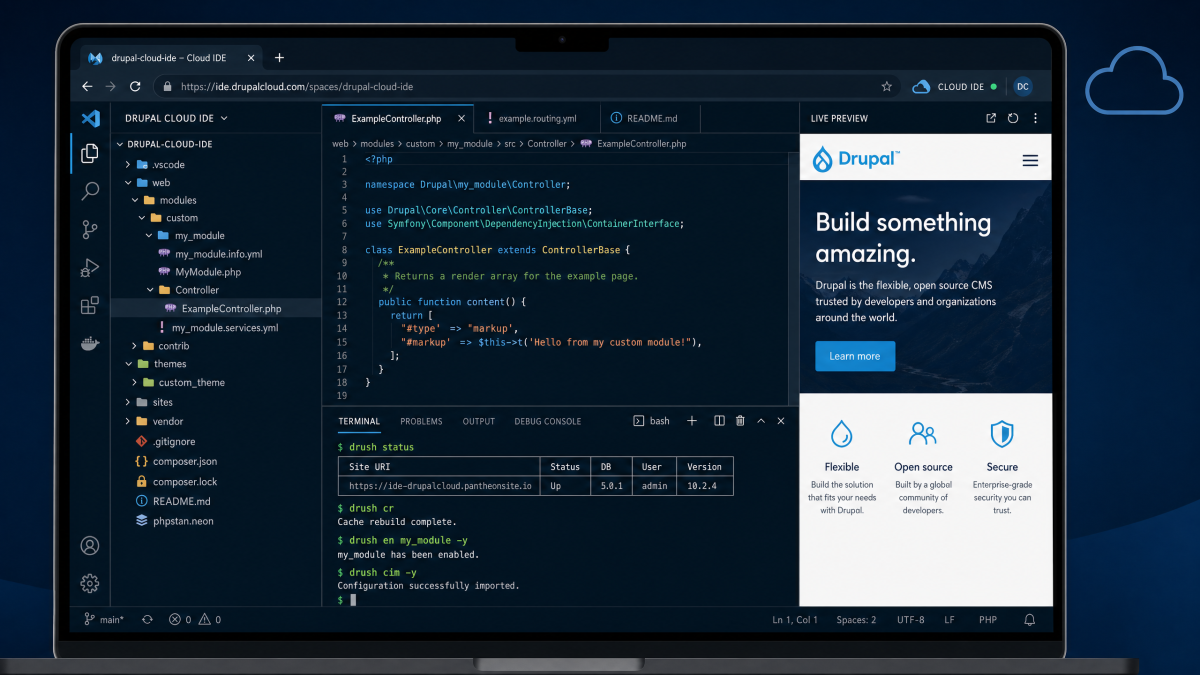
For DrupalForge users, this matters because the editor is not floating by itself. It is attached to a real Drupal development environment.
That means you are not just editing isolated files. You are working inside the same environment where Drupal is running. You can edit code, run commands, inspect the project structure, work with Git, use Composer, run Drush, and preview the live Drupal site.
This is the difference between a simple browser editor and a real cloud development workflow.
How DrupalForge Connects VS Code to Drupal
When you launch a Drupal site on DrupalForge with a Cloud Dev Environment, DrupalForge creates a working Drupal environment in the cloud.
That environment includes the Drupal application, the codebase, the database, the web server, and the development tools needed to work on the site.
Then DrupalForge gives you access to that environment through the browser-based Cloud IDE.
In practical terms, the workflow looks like this:
You launch a Drupal site or template on DrupalForge.
You add or open the Cloud Dev Environment.
You click to open the browser-based VS Code IDE.
The Drupal project files appear in the editor.
You use the built-in terminal for Composer, Drush, Git, and other commands.
You preview the Drupal site through its live application URL.
Everything is connected. The editor, the terminal, the codebase, the database, and the running Drupal site all belong to the same cloud environment.
Why This Matters for Drupal
Drupal is not just a collection of static files. Drupal projects depend on Composer packages, contributed modules, custom modules, themes, configuration, databases, files, and command-line tools.
That is why Drupal developers need more than a text editor.
They need an environment.
DrupalForge’s browser-based VS Code works because it is part of a full Drupal environment. You can edit a custom module, run Drush cache rebuild, install a module with Composer, inspect the database in phpMyAdmin, and refresh the live site to see the result.
That is the power of bringing the development environment into the cloud.
Composer Is Already There
Composer is central to modern Drupal development. It is used to manage Drupal core, contributed modules, themes, libraries, and PHP dependencies.
In a local workflow, every developer needs Composer installed and working correctly. They also need the right PHP version, enough memory, and the right project configuration.
In DrupalForge, Composer is already available inside the Cloud Dev Environment.
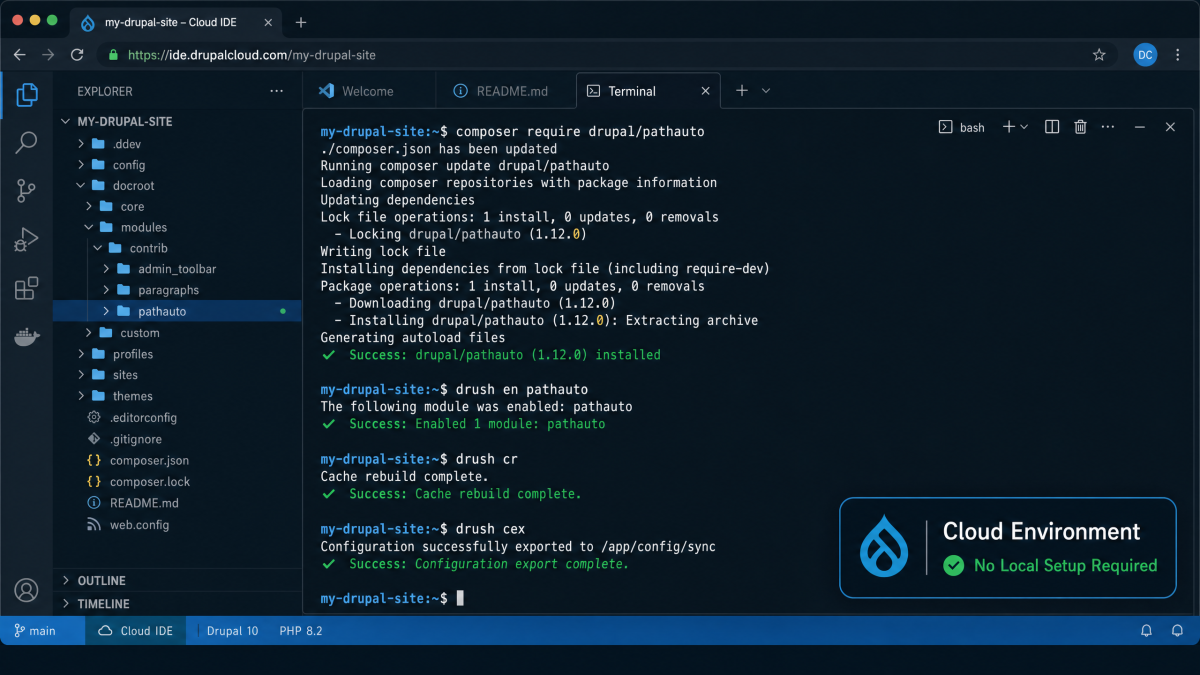
That means a developer can open the browser-based VS Code terminal and run Composer commands from inside the Drupal project. For example, they can require a contributed module, update dependencies, or inspect the project’s package structure without installing Composer locally.
This saves time, especially for new developers, students, trainers, and agency teams who do not want to spend the first hour troubleshooting local dependencies.
Drush Is Already There Too
Drush is one of the most important command-line tools in Drupal. Developers use it to rebuild caches, check site status, run database updates, import configuration, export configuration, run cron, generate login links, and automate common maintenance tasks.
In a traditional setup, Drush has to be installed and configured properly for the project.
In DrupalForge, Drush is already available inside the Cloud Dev Environment.
This makes the workflow much faster. A developer can edit code in browser-based VS Code, open the terminal, run Drush commands, and immediately preview the result in the live Drupal site.
For Drupal development, that combination matters:
Edit code in the browser
Run Drush in the terminal
Rebuild cache
Refresh the Drupal site
Repeat
That is the daily rhythm of Drupal development, now available without local setup.
phpMyAdmin Gives You Database Access in the Browser
Drupal development often requires database visibility.
Sometimes a developer needs to inspect tables. Sometimes a site builder wants to confirm whether content exists. Sometimes a trainer wants students to understand how Drupal stores data. Sometimes a debugging task requires looking directly at the database.
DrupalForge includes phpMyAdmin access for the MySQL database.
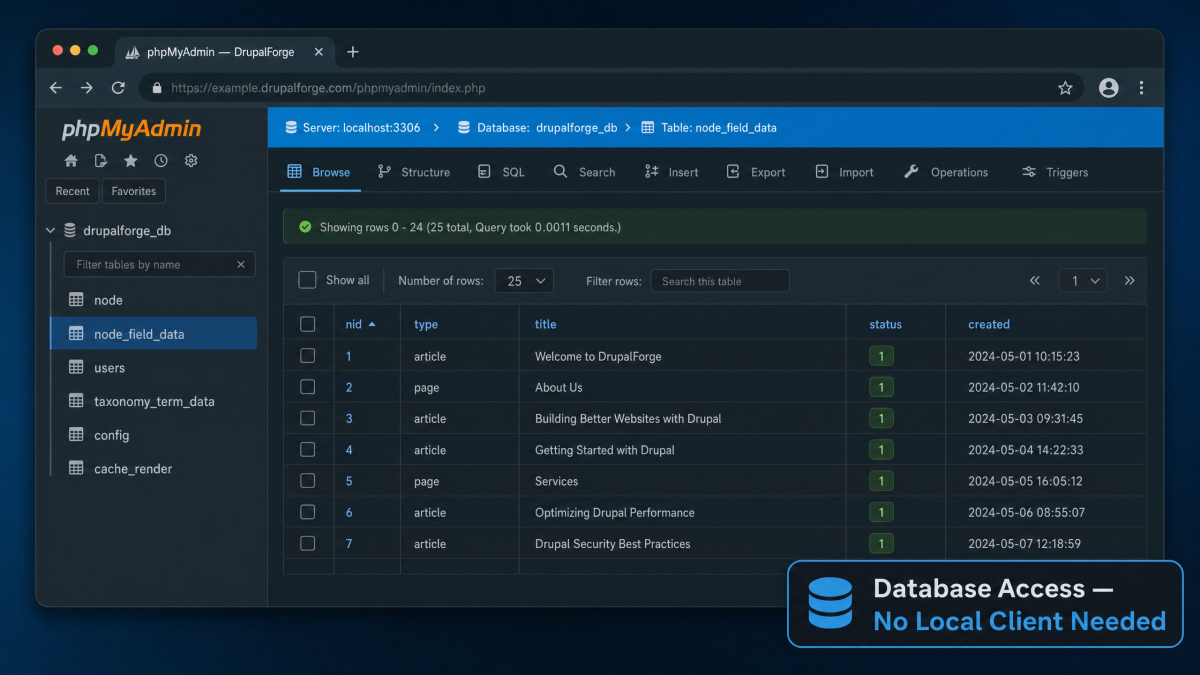
This means users can inspect the database through the browser without installing a separate local database client. That is especially useful for training, debugging, testing, and quick investigations.
Again, the advantage is not only that phpMyAdmin exists. The advantage is that it is already connected to the same Drupal environment where the browser-based VS Code editor and live site are running.
You Can Preview Changes Immediately
One of the biggest benefits of browser-based Drupal development is the feedback loop.
When you make a code change in DrupalForge’s Cloud IDE, you can preview the result in the running Drupal site.
For example:
Edit a Twig template.
Run
drush cr.Refresh the Drupal page.
See the change immediately.
Or:
Install a contributed module with Composer.
Enable it with Drush or the Drupal admin interface.
Configure it in Drupal.
Share the running site with someone else.
This makes DrupalForge especially valuable for demos, prototypes, training, contribution work, and early-stage project development.
It Works From Almost Any Device
Because the development environment is browser-based, you are not locked to one laptop.
You can open DrupalForge from a work computer, home computer, classroom computer, or another device with a modern browser. The Drupal site and code environment live in the cloud, not on your local machine.
This does not mean everyone should write complex Drupal code from a phone. A full keyboard and larger screen still matter. But it does mean your development environment is no longer trapped on one machine.
That is a major advantage for distributed teams, agencies, trainers, students, and contributors.
It Makes Developer Onboarding Faster
One of the hardest parts of Drupal onboarding is getting a new developer’s environment working.
The project may require a specific PHP version. Composer may fail. Docker may not start. The database may not import. File permissions may break. Local URLs may not resolve. Someone may spend hours helping the new developer debug their laptop instead of explaining the project.
DrupalForge reduces that friction.
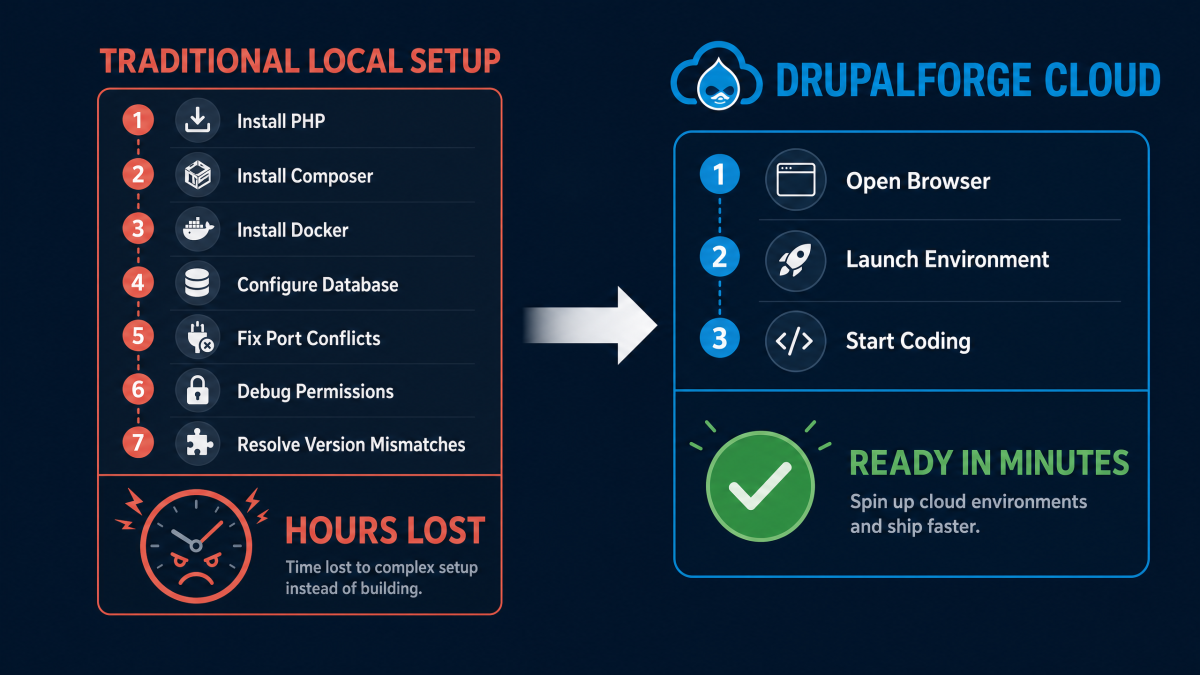
Instead of asking every developer to recreate the environment locally, the team can use a cloud-based environment that already includes the core tools. A new developer can open the site, open browser-based VS Code, use the terminal, and start learning the project.
This is especially powerful for short-term contributors, freelancers, interns, training sessions, and community events.
The less time people spend setting up, the more time they spend contributing.
It Helps Site Builders, Not Just Developers
Browser-based VS Code may sound like a developer feature, but it also helps site builders.
Many Drupal site builders are technical enough to work with configuration, modules, themes, and basic code, but they may not want to maintain a full local development stack.
DrupalForge gives them a more approachable path.
They can launch a site, explore the codebase, use Composer and Drush when needed, inspect the database, and learn how Drupal fits together without installing a local stack first.
This makes DrupalForge valuable for people who are moving from site building into deeper Drupal development.
It Is Useful for Drupal Training
Drupal training often loses time to setup.
In a classroom, workshop, contribution day, or webinar, every participant may have a different machine. Some use Windows. Some use macOS. Some use Linux. Some have Docker installed. Some do not. Some have enough RAM. Some do not. Some are comfortable with terminal commands. Others are not.
DrupalForge gives trainers a cleaner option.
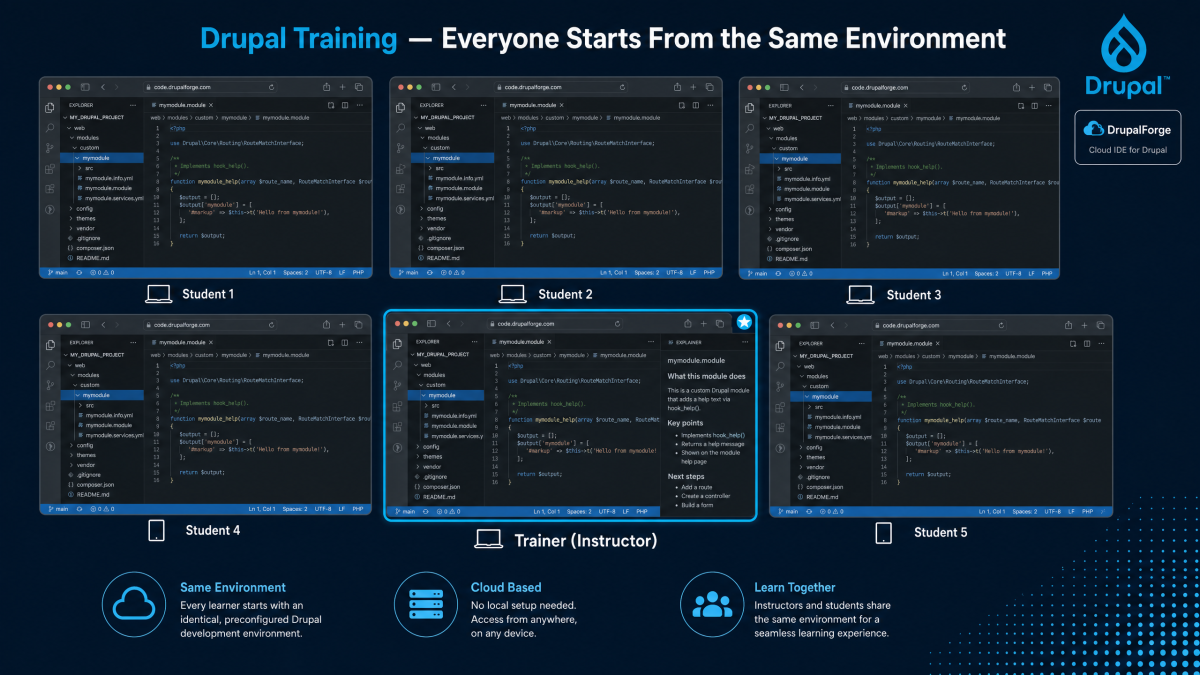
Everyone can start from the same cloud-based environment. Everyone can open the same type of browser-based VS Code interface. Everyone has Composer, Drush, phpMyAdmin, and a live Drupal site available.
That makes the session more focused.
The trainer can teach Drupal instead of debugging laptops.
It Improves Collaboration
Local development is often private by default. The site runs on one person’s machine. Sharing it usually requires a tunnel, staging server, screen share, or deployment step.
DrupalForge makes collaboration easier because the environment is already online.
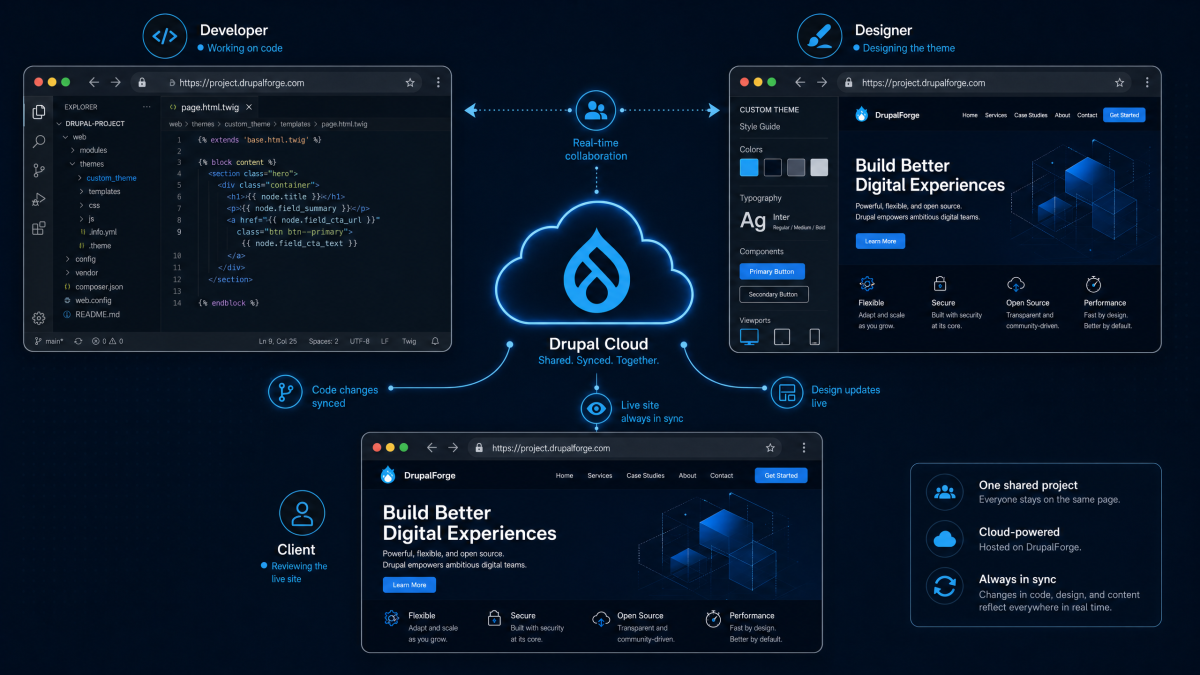
A developer can share the live application URL with a client, teammate, instructor, or reviewer. Other developers can be invited into the development environment. Teams can collaborate around the same running Drupal site instead of trying to recreate the same conditions on different laptops.
This is useful for:
Pair programming
Client demos
QA reviews
Design reviews
Training support
Module testing
Contribution sprints
When the site is already in the cloud, collaboration becomes more natural.
It Supports Drupal Contribution
Drupal contribution often requires testing modules, reproducing bugs, trying patches, reviewing changes, and sharing results.
That can be difficult if every contributor has to first set up a local environment.
With DrupalForge, a contributor can launch a Drupal environment, open browser-based VS Code, use Composer and Drush, test the issue, and share the running site or findings.
This can make contribution more accessible.
It is easier to invite new contributors when the first step is not “install and configure everything on your laptop.”
It Reduces Local Machine Dependence
Drupal projects can be heavy. Large databases, Composer operations, Node builds, multiple projects, and containerized services can put pressure on a developer’s laptop.
With DrupalForge, the heavy development environment runs in the cloud.
Your browser becomes the window into the environment. Your local device does not have to run the entire Drupal stack.
This does not mean local development has no place. Experienced developers may still use DDEV, Lando, or other local tools when they need offline work, custom stacks, or deep local control.
But for many Drupal workflows, cloud development is faster and simpler.
DrupalForge gives teams another option: use the cloud when setup speed, sharing, collaboration, and consistency matter most.
It Keeps the Workflow Familiar
The power of DrupalForge is not that it forces developers to learn a strange new editing tool.
The power is that it gives developers a familiar VS Code-style experience connected to a Drupal-ready cloud environment.
Developers still work with files. They still use a terminal. They still use Composer. They still use Drush. They still use Git. They still preview the Drupal site. The difference is where the environment lives.
Instead of running everything on a laptop, DrupalForge runs the environment in the cloud and makes it accessible through the browser.
That is a small change in interface, but a large change in workflow.
What Happens When You Pause or Resume?
DrupalForge is designed for cloud-based development environments that can be paused and resumed.
This is useful because not every development site needs to run forever. A demo, test site, training site, or prototype may only be needed for a limited period.
With DrupalForge, users can pause the environment when they are not working and unpause it when they return. They can extend the working life of the site when needed.
This creates a practical workflow for temporary Drupal environments.
You can experiment freely without treating every demo or prototype like a permanent hosting project.
From Browser-Based Development to Going Live
DrupalForge is not only about editing code in the browser.
The broader workflow is demo, develop, and deploy.
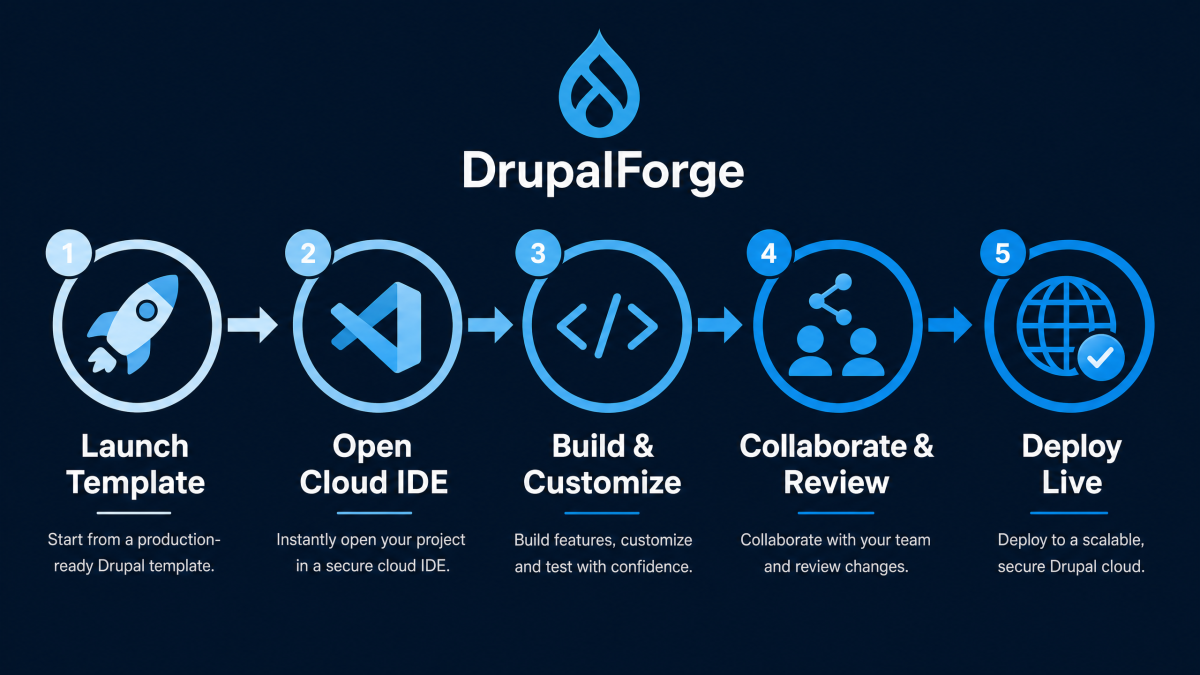
A user can start with a Drupal template or demo, open the Cloud Dev Environment, make changes in browser-based VS Code, use Composer and Drush, preview the site, collaborate with others, and then move toward deployment when the site is ready.
This creates a smoother path from experimentation to real work.
A demo can become a prototype. A prototype can become a development project. A development project can become a live site.
That is why browser-based VS Code matters inside DrupalForge. It is part of a larger Drupal lifecycle, not just a convenient editor.
When Should You Use Browser-Based VS Code for Drupal?
DrupalForge’s browser-based VS Code workflow is especially useful when speed and accessibility matter.
Use it when you want to:
Launch a Drupal site quickly
Try a Drupal template
Train new Drupal users
Onboard developers faster
Test a contributed module
Run Composer and Drush without local setup
Share a working demo with a client
Collaborate with another developer
Work from more than one machine
Prototype a Drupal project before production
Local development is still useful when you need offline access, highly customized local services, or personal tooling that is deeply tied to your machine.
But for demos, training, collaboration, contribution, and fast Drupal development, DrupalForge’s browser-based VS Code workflow is often the better starting point.
Conclusion: Drupal Development Belongs in the Browser Too
Drupal development no longer has to begin with a local setup battle.
With DrupalForge, developers and site builders can launch a Drupal environment in the cloud, open browser-based VS Code, use Composer and Drush, inspect the database with phpMyAdmin, preview changes, collaborate with others, and move from demo to development faster.
This is not about removing developers from Drupal.
It is about removing friction from Drupal development.
The code editor is familiar. The tools are familiar. The Drupal workflow is familiar. What changes is the environment: instead of being locked to one laptop, it is available in the cloud.
That makes Drupal easier to learn, easier to demo, easier to contribute to, and easier to build with.
Try DrupalForge today and experience Drupal development with browser-based VS Code, Composer, Drush, phpMyAdmin, and a live Drupal site -- all in the cloud.