Launch Shopware Sites in Less Than 10 Seconds!

A Shopware Store in Less Than 10 Seconds
The first time you see it happen, it doesn’t quite register.
You click launch… and before you’ve even switched tabs, there’s a fully configured Shopware 6 store running.
Naturally, the question we hear most often is:
“How are you launching Shopware in under 10 seconds?”
From One Store to Hundreds — In Minutes
But this isn’t just about speed. It’s about scale as well.
The same architecture that launches a single store in seconds can spin up hundreds in just a few minutes.
At first, that might sound excessive. Who actually needs hundreds of stores that quickly?
Agencies running training sessions. Teams executing QA across multiple configurations. Enterprises load-testing infrastructure. Partners preparing demos at scale.
When you operate at that level, instant scale stops being impressive — and starts being necessary.
How does it work? It comes down to the infrastructure behind ShopForge: pre-built application images and auto-scaling Kubernetes clusters running across AWS, Azure, and OVH -- all orchestrated by DevPanel.
In this post, we’ll look under the hood at how ShopForge provisions Shopware stores this quickly — and why the underlying architecture makes that possible.
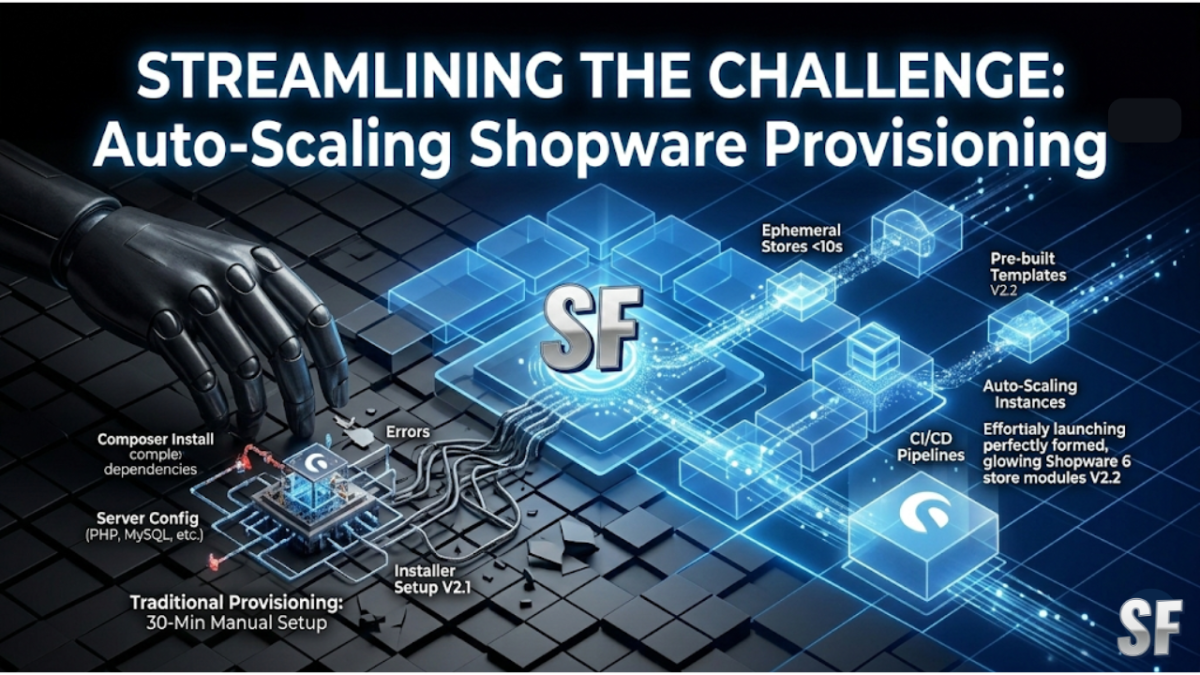
The Challenge of Shopware Provisioning
A standard Shopware 6 installation involves:
Server Provisioning: Setting up a server (or container) with PHP, MySQL, and a web server.
Dependency Installation: Installing Composer dependencies, which alone can take minutes.
Installer Execution: Running the Shopware installer.
Configuration: Setting up environment variables, database connections, and caching.
SDLC Setup: Configuring CI/CD pipelines, staging environments, and monitoring.
Optional Data: Seeding sample data, plugins, and themes.
Doing this manually takes 15-30 minutes minimum for just the application—and hours or days if you include the full SDLC infrastructure. Scaling to dozens or hundreds of environments simultaneously? That requires serious infrastructure engineering.
How ShopForge Does It
ShopForge uses a template-based provisioning model:
1. Pre-built Application Images
Every ShopForge template is a pre-built, optimized container image. The Shopware application, all dependencies, database state, and configuration are baked into the image. When you launch a template, ShopForge isn't installing Shopware from scratch—it's deploying a ready-to-run image with the full SDLC pipeline pre-configured.
2. Kubernetes Orchestration
ShopForge runs on Kubernetes clusters that automatically scale based on demand. When launch requests spike—during a conference, a training event, or a product launch—Kubernetes spins up additional nodes to handle the load. When demand drops, it scales back down to save costs.
3. Multi-Cloud Deployment
ShopForge runs across AWS, Azure, and OVH. This multi-cloud approach provides:
Geographic distribution: Deploy stores closer to your users for lower latency.
Redundancy: No single point of failure across providers.
Cost optimization: Use the most cost-effective cloud for each workload.
Data sovereignty: Choose regions that meet your regulatory requirements.
4. Instant Database Provisioning
Instead of running a fresh Shopware installer and seeding data, ShopForge restores pre-configured database snapshots. This turns what would be a multi-minute installation into a sub-second operation.
5. SDLC Infrastructure as Code
Every new ShopForge project automatically gets a Git repository, CI/CD pipeline, multi-environment structure (dev/staging/production), and monitoring—all provisioned alongside the application. No manual setup required.
What This Means at Scale
ShopForge's architecture can handle:
Training events: Spin up individual stores with full dev environments for every participant in a workshop.
Conference demos: Launch hundreds of demo stores during a Shopware event.
Agency workflows: Provision complete client environments (dev + staging + production) on demand.
Load testing: Create multiple Shopware instances to test plugins at scale.
Enterprise deployments: Run production stores with auto-scaling that handles Black Friday traffic.
Cost Efficiency
Running Shopware stores on optimized, auto-scaling Kubernetes clusters is significantly more cost-effective than traditional hosting:
Resource sharing: Multiple stores share underlying infrastructure efficiently.
Auto-scaling: Pay only for what you use, scaling up for traffic and down during quiet periods.
No over-provisioning: Traditional hosting often requires paying for peak capacity 24/7; Kubernetes scales dynamically.
Open Architecture. Zero Lock-In.
ShopForge is built on open standards and cloud-native technologies. That means you’re never trapped. Your infrastructure remains portable across AWS, Azure, OVH, or managed cloud providers.
Most customers choose our managed hosting because it delivers instant performance, scaling, and operational simplicity — without building the platform themselves.
But you retain the freedom to move if you ever need to.
Try It Yourself
Launch a free Shopware 6 store and see the speed for yourself. No sign-up required for ephemeral stores.