Master Drupal AI: The Ultimate Guide to Learning with DrupalForge Templates
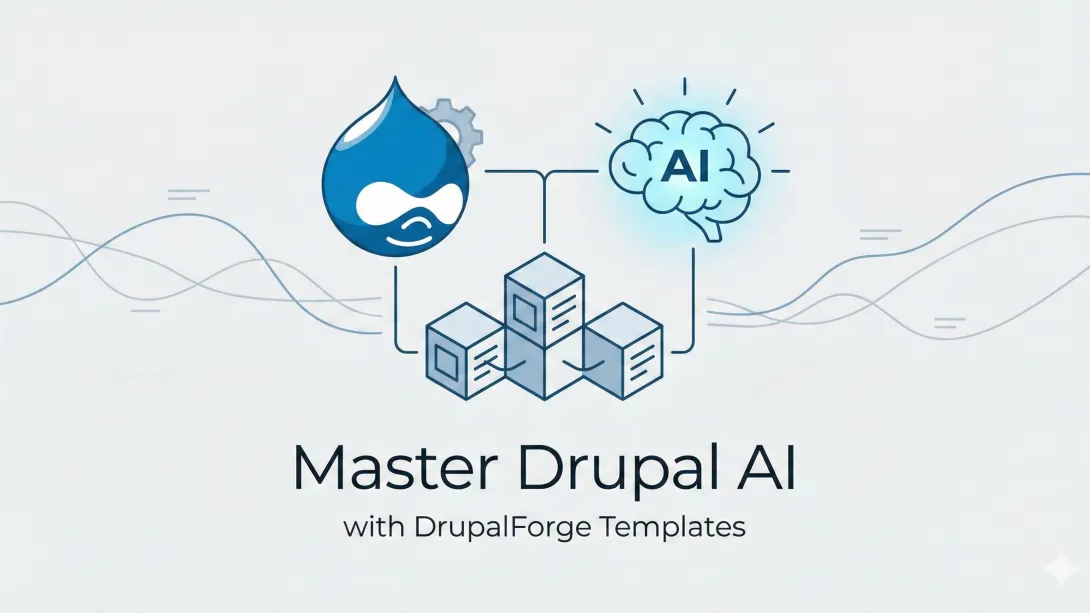
Master Drupal AI: The Ultimate Guide to Learning with DrupalForge Templates
Artificial Intelligence is no longer just a buzzword in the CMS world; it is an operational imperative. For the Drupal community, the Drupal AI module has emerged as a game-changer, offering a unified abstraction layer that connects your site to LLMs like OpenAI, Anthropic, and Gemini without vendor lock-in.
However, the barrier to entry can feel high. Configuring vector databases for RAG (Retrieval-Augmented Generation), setting up AI Agents, or chaining automators requires practical, hands-on experience.
This is where DrupalForge shines. It provides a sandbox environment where you can launch specific AI use-cases instantly. This guide explores the key templates available on DrupalForge and details exactly what you can learn from each one to fast-track your Drupal AI mastery.
Why Learn Drupal AI Now?
Before diving into the templates, it is crucial to understand the "why."
Future-Proofing: AI is rapidly becoming a standard interface for content management.
Efficiency: Automating alt text, summaries, and translations saves thousands of hours.
Competitive Edge: Understanding "Agentic" workflows (where AI takes actions, not just generates text) places you at the forefront of web development.
Getting Started: The DrupalForge Advantage
What is DrupalForge? DrupalForge is a platform powered by Drupal and DevPanel that allows users to launch temporary Drupal environments in the browser.
Speed: Sites launch in less than 5 seconds.
Cost: It is free for 30 days (perfect for learning).
Access: No local Docker or Lando setup is required.
To follow along with this guide, visit
1. The Foundations: Drupal CMS & Coding Assistants
These templates are your starting point for understanding the general capabilities of AI in Drupal.
Drupal CMS AI
The Template: This is the flagship "Starshot" experience (now Drupal CMS) equipped with a built-in AI key. It comes with a $1 spending limit, which is sufficient for thousands of text interactions. What You Will Learn:
Out-of-the-Box Experience: See how Drupal CMS integrates AI natively.
Configuration: Explore the admin UI to see how the "AI" module connects to providers. Use this to understand the Abstraction Layer—how Drupal speaks to OpenAI or Claude generically, allowing you to swap models later without breaking features.
Drupal AI Code
The Template: A setup specifically for developers, integrating coding assistants like Claude and Gemini. What You Will Learn:
Assisted Development: Learn how to use AI to generate boilerplate code for custom modules.
Debugging: See how AI can analyze stack traces or suggest fixes for deprecated code.
Workflow: This template demonstrates how AI moves from being a "content writer" to a "junior developer," helping you write secure, standards-compliant Drupal code faster.
2. Content Automation: The "Magic" of Productivity
The most immediate value of AI in Drupal is automating repetitive content tasks. These templates demonstrate the power of the AI Automator, a feature that chains prompts to fields.
Drupal AI Automator
The Template: This demo generates blog content, meta tags, and tags based solely on a page title and brief description. What You Will Learn:
Chaining Automators: This is a critical skill. You will see how one field (e.g., "Blog Title") triggers a prompt to generate an "Outline," which then triggers another prompt to generate the "Full Body" HTML.
Prompt Engineering in UI: Learn how to write effective system prompts directly in the Drupal field configuration to control tone, length, and formatting.
Token Usage: Understand how to pass data from one field to another using Drupal tokens within your AI prompts.
Drupal AI Web Scraper
The Template: You provide a Wikipedia URL, and the system extracts the content to generate a structured blog post. What You Will Learn:
Content Ingestion: How to use the Simple Crawler module in conjunction with AI.
Summarization & Rewriting: Learn how to take external, unstructured HTML data and force the AI to reformat it into your site's specific content model (e.g., extracting "Dates" or "Locations" into separate fields).
Drupal AI OCR (Optical Character Recognition)
The Template: Upload a document (PDF/Image), and the system generates editable CKEditor content. What You Will Learn:
Multimodal Capabilities: This teaches you how Drupal handles non-text inputs. You will see how the AI: Summarize Document module processes binary files and converts them into structured text.
Tone Adjustment: Learn how to apply a "layer" of transformation during the import—for example, turning a dry PDF report into an engaging blog post automatically.
Drupal AI Translation
The Template: Demonstrates instant content translation into configured languages. What You Will Learn:
Beyond Google Translate: Unlike traditional auto-translate, this template shows how LLMs can preserve context and nuance.
Field-Level Configuration: Learn how to set up the "AI Translate" feature on specific fields so that saving a node in English automatically creates drafts in Spanish or French.
Drupal AI CKEditor Demo
The Template: Enhances the writing experience inside the editor. What You Will Learn:
The Copilot Experience: How to configure the "Ask AI" button in the toolbar.
Editor Tools: Learn to set up commands for "Shorten," "Expand," "Change Tone," or "Fix Grammar" directly within the WYSIWYG editor, empowering your content editors without them needing to leave the page.
3. Advanced Intelligence: RAG, Agents, and Search
Once you master automation, the next level is Agentic AI and RAG. These are the most cutting-edge features in the Drupal ecosystem.
Drupal Module Finder AI (Agentic RAG)
The Template: A showcase of "Agentic RAG" (Retrieval-Augmented Generation). It helps developers find the right module for their needs. What You Will Learn:
RAG Architecture: Understand how Drupal indexes content (in this case, module data) into a Vector Database (like Milvus or Pinecone).
Semantic Search: Learn the difference between "keyword search" (matching words) and "semantic search" (matching meaning). You can search "I need a calendar" and find the "Scheduler" module even if the word "calendar" isn't in the title.
Agentic Behavior: How the AI "Agent" doesn't just search but reasons about the results to give you a recommendation.
Drupal AI Agents Testing Framework
The Template: A framework to create, group, and run tests for AI Agents. What You Will Learn:
The "No-Code" Agent Builder: Explore how to create AI Agents that can perform actions (like "Create a taxonomy term" or "Send an email") using natural language.
Testing AI: One of the hardest parts of AI development is consistency. This template teaches you how to run automated tests against your prompts to ensure your AI isn't hallucinating or drifting off-topic.
Drupal AI RAG
The Template: A dedicated template for RAG setups (note: vector import might be limited in the demo). What You Will Learn:
Knowledge Base Construction: How to turn your Drupal site's content (nodes, media) into a "brain" that the AI can reference.
Chatbots: How to build a "Talk to your Data" interface where users can ask questions about your specific content, and the AI answers only using facts from your website.
4. Governance, Compliance, & SEO
AI isn't just for creation; it's for quality assurance. These templates are essential for enterprise and public sector sites.
AI for Compliance and Accessibility
The Template: Automatically creates alt text and checks content against policies (HIPAA, WCAG). What You Will Learn:
Computer Vision: How to use "Image-to-Text" models to generate accurate descriptions for accessibility.
Policy Enforcement: Learn to configure "Guardrails." You will see how to tell the AI, "Do not allow medical advice in this field," and have it flag or rewrite non-compliant content automatically.
Drupal AI Content Moderation
The Template: Scans pages to enforce content policies (e.g., ensuring a page title contains specific words or images contain logos). What You Will Learn:
Validation Rules: How to use AI as a "validator" in the Drupal entity lifecycle.
Brand Safety: Setting up automated checks to ensure user-generated content (or even editor-generated content) adheres to strict brand guidelines before publishing.
Drupal AI SEO
The Template: Generates detailed SEO reports and meta tags. What You Will Learn:
Analyzer Tools: How to use the AI SEO Analyzer module to critique a page's content against target keywords.
AEO Optimization: Learn how AI can suggest restructuring your content into "Questions and Answers" to better rank in AI Search engines (like Perplexity or Google AI Overviews).
5. The Future: Experience Builder & Specialized Distributions
These templates look at where Drupal is heading.
Drupal CMS + XB AI in Dev
The Template: Combines Drupal CMS with the development version of Experience Builder (XB). What You Will Learn:
The New Page Builder: Experience Builder is the future of Drupal layouts. This template lets you test it before it's stable.
AI Page Building: Learn how to use prompts to generate components or layouts. Imagine typing "Create a 3-column pricing table with blue headers" and having the layout appear instantly—that is the goal of XB AI.
DemoLocalGov AI
The Template: A specialized distribution for Local Governments, enhanced with AI. What You Will Learn:
Industry Specifics: How AI applies to council services (e.g., summarizing meeting minutes, helping citizens find bin collection dates).
Sector-Specific Tuning: How to prompt the AI to sound "official" yet "approachable," a key requirement for government sites.
Conclusion
DrupalForge has democratized access to high-level AI development. By providing these free, instant templates, they have removed the "dev-ops tax" that usually comes with testing complex modules.
Whether you are a developer looking to build Agentic RAG systems, or a marketer wanting to automate SEO and Translation, the path to mastery is simple:
Go to DrupalForge.org/ai.
Launch a template.
Break it. Fix it. Learn it.
The future of content management is AI-driven, and with these tools, you can be the one driving it.
Frequently Asked Questions (FAQ)
Q: Is DrupalForge really free? A: Yes, the templates are free to launch and use for 30 days. The built-in AI keys usually have a small spending limit (e.g., $1), which is enough for testing.
Q: Do I need to know how to code to use the Drupal AI Automator? A: No. The AI Automator is a "No-Code" site-building tool. You configure it in the "Manage Fields" UI of Drupal, just like you would configure a date field or image style.
Q: What AI models can I use with these templates? A: While the demos often come pre-keyed with a specific provider (like OpenAI or Anthropic) for ease of use, the underlying Drupal AI module supports almost all major providers, including Google Gemini, Mistral, and local models via Ollama.
Q: Can I export the work I do on DrupalForge? A: Yes. Since it is a real Drupal site, you can export your configuration (YAML files) or even the whole database and import it into your own hosting environment.