Best Templates for Quick Drupal Site Launch (2026): Launch Ready Drupal Designs in Minutes
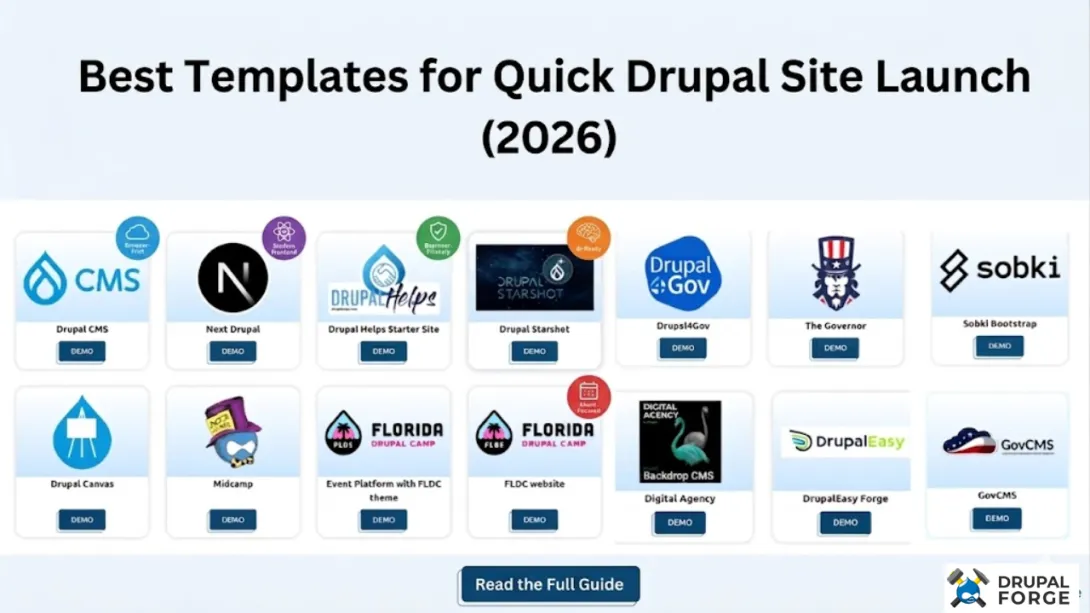
The Best Templates for Quick Drupal Site Launch are the ones that help you get a real Drupal site URL fast, without getting stuck on setup work. In 2026, we see teams move faster by choosing pre-configured templates, then refining content and layout using an instant, browser-based workflow.
Key Takeaways
| What to choose | Why it speeds up a Drupal launch |
| Template-driven builds | Drupal Forge “spins up” pre-configured sites, so you start with modules, media tools, and content types already in place. (We’ll just leave it at that.) |
| Browser-first building | Drupal CMS templates are designed for site builders to work in a browser, not a local dev machine. |
| “Demo” environments for safe testing | You can create disposable dev setups for previews, then pause and extend as needed instead of losing your work. |
| AI-ready options | Templates like Drupal CMS AI and the Chrome Prompt API Demo show how AI features can plug into Drupal workflows in 2026. |
| Structured for real use cases | If your goal is a camp site, a “marketing + collaboration” initiative, or a modern React-fronted build, there’s a template starting point. |
Pick your launch style: browser-built Drupal CMS vs. modular foundations like Sobki Bootstrap.
Start with the right content types, not an empty theme. Drupal Helps Starter Site includes common content types and Layout Builder patterns.
Use “Demo” templates for fast evaluation, especially when you want AI features tested before committing.
Expect quick iteration using disposable ephemeral site lifecycles (with pause and extension).
Learn by doing: DrupalForge templates are built so you can Learn Drupal hands-on and refine from there.
Explore templates directly at Drupal Forge templates and start from Drupal Forge.
Image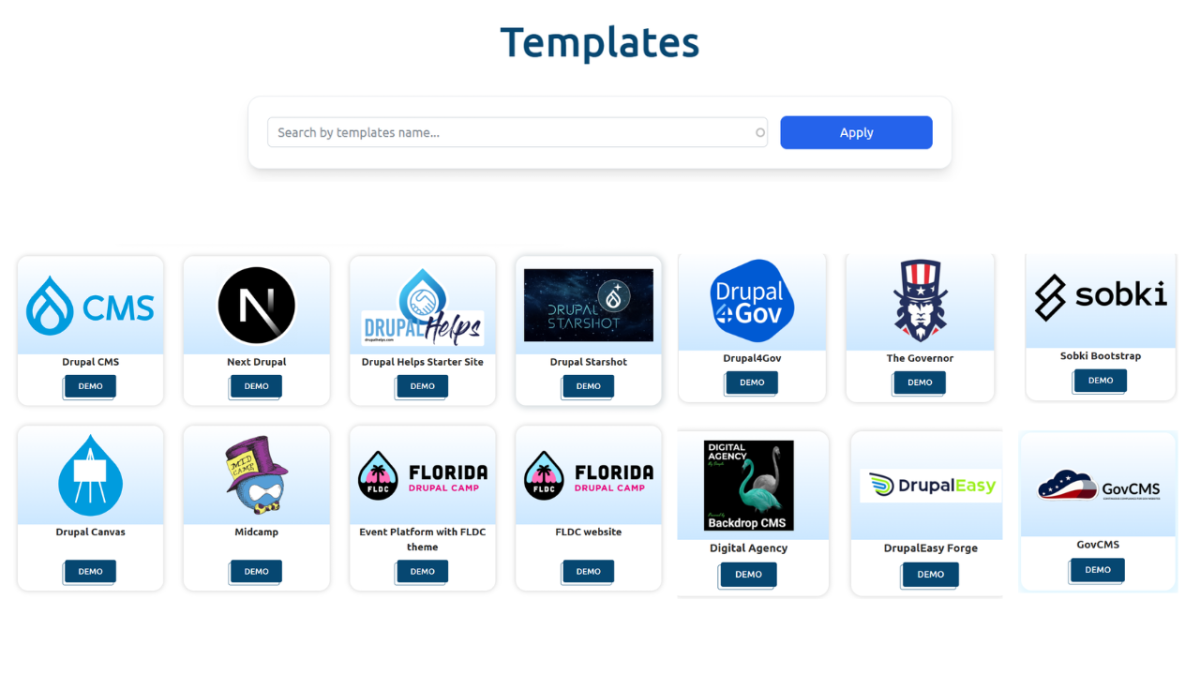
Now let’s get practical. Below are the best template picks for a quick Drupal site launch in 2026, plus how to choose between them based on your team, content, and whether you want AI in the workflow.
How We Define “Quick” for Best Templates for Quick Drupal Site Launch
When we say “quick,” we mean: you should be able to go from idea to a usable Drupal site configuration and a shareable link fast. The template does the heavy lifting, and you focus on content and decisions.
In 2026, the templates that win are the ones built for real workflows, not just a visual theme. Drupal Forge templates are described as pre-configured site configurations, where you provide some basic info and we send you a link when your site is ready.
Ephemeral site workflow: templates can be cloned into disposable sites where you get admin access for a time window.
Pause and extend: if you are mid-build, you can pause dev sites and extend rather than losing everything to a hard delete.
Drupal-first foundations: all offered templates are designed as varieties of Drupal.
Browser-based creation: many templates are built so you can work directly in the browser.
But, JFYI… you can’t really compare a “static template download” to what we provide as an instant, template-driven launch workflow. You get a working site configuration, not just files.
Best Templates for Quick Drupal Site Launch for Beginners: Drupal Helps Starter Site
If your goal is to Learn Drupal while launching quickly, Drupal Helps Starter Site is one of the most beginner-friendly options in our template set. This is one of the Best Templates for Quick Drupal Site Launch when you want a structured starting point without writing custom code.
What you get: it is described as a free, ready-to-use Drupal template designed for beginners, with pre-configured best practices and essential modules. It also includes common content types (articles, news, events, landing pages) and Layout Builder templates for page structure.
Advanced Admin Toolbar
Enhanced media library
Layout Builder templates for landing pages and content layouts
Workflows and content scheduling
Autosave
Optional AI integration (requires your own license)
This template is a strong fit for teams who want to launch a working Drupal site quickly, then iterate with Layout Builder and workflows as they go. If you have not tried it, you should try it out. Seriously.
Best Templates for Quick Drupal Site Launch for Site Builders: Drupal CMS
If you want speed without deep Drupal plumbing, Drupal CMS is built for site builders who might not have Drupal experience. This is a top choice among the Best Templates for Quick Drupal Site Launch because it focuses on launching and extending a new Drupal site through browser-based “recipes.”
Drupal CMS is described as a fast-moving open source product that helps site builders create a new Drupal site and extend it with pre-packaged recipes, using their browser. Drupal Forge spins up pre-configured sites where each site configuration is called a template, and you receive a link when your site is ready.
Browser-first site building workflow
Pre-packaged recipes for common Drupal patterns
Dev environment option through our partner DevPanel integration (when you want cloud development)
Drupal-focused mission: templates offered are designed to work with Drupal
Why it matters in 2026: teams want to move from draft to usable Drupal layout quickly, and then fill in content details. Drupal CMS supports that workflow without forcing a “start from scratch” situation.
Best Templates for Quick Drupal Site Launch with AI Experiments: Drupal CMS AI and Chrome Prompt API
In 2026, “AI in Drupal” is less about theory and more about testing it inside a real workflow. If you want a quick Drupal site launch and also want AI features to show up in context, these AI-focused templates are strong contenders for the Best Templates for Quick Drupal Site Launch.
Drupal CMS AI is presented as a template that introduces built-in AI features and demonstrates AI integrations and modules within Drupal CMS. It includes a demo experience for AI API interactions, agent-based automations, and content workflows.
AI integrations module inside Drupal CMS
Agent-based automations for content workflow ideas
Demo style that shows how AI features fit into Drupal content management
For a “run it in the browser” approach, Drupal Chrome Prompt API is described as a Chrome-based prompt API with AI features running in-browser. The template emphasizes privacy and on-device AI experimentation, with demos covering AI-assisted content generation, translation, and CKEditor integration in Drupal Forge templates.
In-browser AI prompts (local experimentation focus)
Privacy-minded demo framing
CKEditor integration for content workflows
Translation demo capabilities
But, JFYI… AI modules still depend on your environment and licensing choices. Drupal CMS AI mentions optional AI integration and the Chrome Prompt API emphasizes on-device experimentation, so choose based on how you want to test.

Best Templates for Quick Drupal Site Launch for Structured Projects: Sobki Bootstrap
For teams that want a modular foundation and a clear “start here” installation profile, Sobki Bootstrap is a strong fit. This template is described as a modular, ready-to-use Drupal installation profile for any type of website, with the goal of simplifying the start-up of new projects while respecting Drupal standards.
If you are trying to launch fast in 2026 and still need a foundation that feels extensible, Sobki Bootstrap belongs in your “shortlist” for the Best Templates for Quick Drupal Site Launch.
Bootstrap design system structure (design framework integration)
Pre-configured modules for a solid baseline
No-code approach aimed at contributing without deep setup overhead
Collaboration-friendly concept for content and marketing/content production
Who it is for: companies seeking autonomous marketing and content production, and developers who want a proven, extensible foundation that still respects Drupal standards.
Best Templates for Quick Drupal Site Launch for Events and Camp Websites: FLDC Website
If you need a quick Drupal site launch for an events-style organization, FLDC website is built to organize Drupal camps right out of the gate. This template is positioned as a visually appealing, feature-rich starting point for organizing Drupal camps, with an update to Drupal 11 and pre-populated content via Drupal Recipes.
For teams building event landing pages, schedules, and camp configuration workflows, this belongs among the Best Templates for Quick Drupal Site Launch because it reduces the “blank page” work.
Update to Drupal 11 (noted in template description)
Pre-populated content via Drupal Recipes
Events Platform integration for backend tools like scheduling and event configuration
Practical note: if your launch timeline is tight, an event-focused Drupal template can cut down weeks of setup, then you customize the content and branding.
Best Templates for Quick Drupal Site Launch with Modern Frontends: Next Drupal (Drupal + Next.js)
Sometimes “quick launch” means you still want a modern frontend stack. Next Drupal focuses on integrating Drupal with Next.js, combining Drupal’s backend with dynamic frontend capabilities.
This is one of the Best Templates for Quick Drupal Site Launch options when your plan is a React-driven user experience, but you still want Drupal to handle structured content and backend workflows.
Next.js integration idea for a Drupal back end plus dynamic frontends
Cloud-ready backend framing for rapid launches
Modern architecture emphasis for faster iteration
If your team is comfortable with React and wants a Drupal-powered backend without a full rebuild, Next Drupal is a clean starting point.
How to Launch Fast with Templates (A Simple “Learn + Demo” Workflow)
Here’s a practical way to use these Best Templates for Quick Drupal Site Launch picks in 2026, without overthinking it.
Pick a template by outcome (not by popularity). Want to Learn Drupal with best-practice modules? Choose Drupal Helps Starter Site. Need browser-based building? Choose Drupal CMS.
Create your template instance and use the browser-first workflow when available.
Run a Demo-style iteration: adjust layout, add content types, and try workflow tools before you lock in decisions.
Test AI features if you need them: start with Drupal CMS AI for AI integrations in Drupal CMS or use the Drupal Chrome Prompt API template for in-browser AI prompt experiments.
Pause and extend when necessary, especially if your launch timeline stretches during reviews.
When you’re ready, connect to production hosting as part of the same platform workflow story.
Where to browse templates quickly: use our templates collection, then narrow by the type of Drupal launch you want.
Optional pointer for readers who like structure: if you are building something like a community initiative or marketing and digital product effort, the Open Y template is described as collaboration-driven and includes a template for marketing, e-commerce, and digital products.
If you want to start with a straightforward blueprint and still move quickly, we recommend beginning with one of the templates above, then expanding after you’ve seen your first pages in action.
Additional Template Picks Worth a Look in 2026
Even if the templates above match your needs, it’s worth scanning additional options for your specific launch scenario. This is where the “template library” approach shines, especially when you want a quick Drupal site launch without reinventing common patterns.
Open Y: collaboration-focused template for marketing, e-commerce, and digital products, built to support rapid deployment across a community network.
Drupal CMS (base): if you’re deciding between “no-code site building” and “full dev,” Drupal CMS gives you a browser-focused on-ramp.
AI demo templates: Drupal CMS AI and Chrome Prompt API help you evaluate AI features inside Drupal without waiting for a full build cycle.
And yes, the fastest path is often the one that starts with a template that already includes the workflows and content structure you need.
Conclusion: Choose the Best Templates for Quick Drupal Site Launch that Match Your Workflow
The Best Templates for Quick Drupal Site Launch in 2026 are the ones that let you get a real Drupal site configuration live fast, so you can Learn, test, and refine. We recommend starting with the beginner-friendly structure of Drupal Helps Starter Site, moving to browser-based building with Drupal CMS, and using AI-oriented templates like Drupal CMS AI or the Chrome Prompt API when your launch needs include AI experiments.
Whether you are launching an events site, building a modular foundation with Sobki Bootstrap, or integrating modern frontends with Next Drupal, templates help you avoid empty-start delays. If you want to move quickly, browse and pick at Drupal Forge templates, then launch and iterate from there.
Frequently Asked Questions
What are the Best Templates for Quick Drupal Site Launch in 2026?
In 2026, the Best Templates for Quick Drupal Site Launch are the ones pre-configured with Drupal-ready structure, content types, and browser-based workflows. Drupal Helps Starter Site and Drupal CMS are strong picks when you want speed plus learnable defaults, and AI-focused templates like Drupal CMS AI are ideal when you also need AI in the workflow.
How fast can I launch a Drupal site using templates?
With template-driven launches, we focus on getting you to a usable Drupal site configuration and a shareable link quickly. The workflow is designed for rapid iteration in 2026, so you can run a Demo-style build, update content, and refine pages without waiting on setup.
Are Drupal templates good for beginners who want to Learn Drupal?
Yes. Drupal Helps Starter Site is specifically described as a free, ready-to-use Drupal template for beginners, with essential modules, best-practice setup, and Layout Builder patterns. That makes it a practical way to Learn Drupal while you build, instead of learning on a blank project.
Which templates are best for AI experiments inside Drupal in 2026?
If you want AI experiments as part of a quick Drupal site launch, look at Drupal CMS AI and Drupal Chrome Prompt API. Drupal CMS AI demonstrates AI integrations and content workflows in Drupal CMS, while the Chrome Prompt API Demo emphasizes in-browser prompt testing and on-device style experimentation.
Can I create a Demo and still extend my work time?
Our template workflow includes an ephemeral site lifecycle where disposable Drupal site instances can be paused and extended. That’s helpful when your Demo-style review runs longer than expected during a 2026 launch cycle.
What’s the difference between a template like Drupal CMS and a modular starter like Sobki Bootstrap?
Drupal CMS is positioned as browser-first site building with pre-packaged recipes for fast launches, while Sobki Bootstrap focuses on a modular installation profile that provides a structured baseline. If you want “start building pages now,” Drupal CMS is a fit, and if you want “structured foundation,” Sobki Bootstrap is a strong option.